






Shopify Checkout 2026: How to Optimize Your Payment Flow and Reduce Abandoned Carts by 40%

In the world of e-commerce, the checkout page is known as the "Valley of Death." It is the final hurdle where nearly 70% of potential sales vanish into thin air. By 2026, consumer patience has reached an all-time low. If your payment flow feels even slightly outdated, confusing, or slow, your customers will abandon their carts faster than you can send a recovery email.
Optimization in 2026 isn't just about changing button colors; it’s about leveraging Shopify’s One-Page Checkout and Checkout Extensibility to create a seamless, "zero-thought" transition from cart to thank-you page.
Here is how you can plug the leaks in your payment flow and reclaim your lost revenue.
1. Embrace the One-Page Checkout Revolution
The days of multi-step checkouts are officially over. In 2026, the One-Page Checkout is the industry standard. It reduces the number of interactions, minimizes page reloads, and provides a clear overview of the entire transaction on a single screen.
Why it works: It caters to the "scroll culture" of mobile users. By seeing the shipping, billing, and payment sections simultaneously, the psychological barrier to completion is significantly lowered.

2. Activate "Accelerated Checkouts" (The 5-Second Buy)
Mobile wallets like Shop Pay, Apple Pay, and Google Pay have transformed the checkout experience. In 2026, these are no longer "alternative" payments—they are the primary choice for over 60% of shoppers.
-
Shop Pay: Can increase checkout speed by 4x and conversion rates by up to 50%.
-
Biometric Security: Customers prefer using FaceID or fingerprints over typing credit card numbers.
If your theme doesn't support these buttons prominently on both the product page and the cart, you are manually forcing your customers to work harder than they want to.

3. Eliminate "Hidden Cost" Shock
The #1 reason for cart abandonment in 2026 remains unexpected costs (shipping, taxes, or duties) revealed only at the final step.
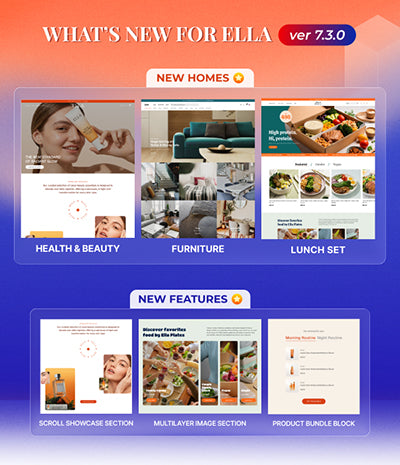
Pro Tip: Use the Ella Theme’s built-in "Shipping Calculator" on the cart page. By letting customers estimate costs before they hit the checkout button, you filter out the "window shoppers" and ensure that everyone entering the checkout is a high-intent buyer.
4. Visual Trust Signals & Security Anchors
The "Trust Deficit" is real. At the moment of payment, a customer’s subconscious is screaming: "Is my data safe?" You must anchor their trust with:
-
SSL Badges: Clearly visible near the payment fields.
-
Recognized Payment Icons: Visa, Mastercard, PayPal, and local favorites.
-
Micro-copy: Small text like "Your transaction is encrypted and secure" goes a long way.

5. Minimize Form Fields with Address Autocomplete
Every extra field you ask a customer to fill out is a 5% drop in conversion. In 2026, manually typing an address is considered a "friction event."
By using Google Maps Address Autocomplete (integrated natively into Shopify), you allow customers to find their address in three keystrokes. This reduces errors and saves precious seconds on mobile devices.
6. Post-Purchase Upsells: The Hidden Revenue Stream
Optimization doesn't end when the "Pay Now" button is clicked. Use Shopify Checkout Extensibility to offer post-purchase upsells. Since the customer has already entered their payment details, they can add a complementary product with a single click without re-entering any information.

CONCLUSION: THE FINISH LINE MATTERS
You’ve worked hard to bring traffic to your store. Don't let a clunky checkout destroy your ROI. By transitioning to a one-page flow, prioritizing mobile wallets, and using a high-performance theme like Ella 7, you can turn your checkout into a conversion machine.
👉 Maximize Your Profits. Explore Ella Theme’s High-Conversion Checkout Features Today!